A receipt will be generated after completing a Shopping Cart purchase and will be served on the post-purchase screen and in My Account.
To view your receipt in My Account, follow the steps below:
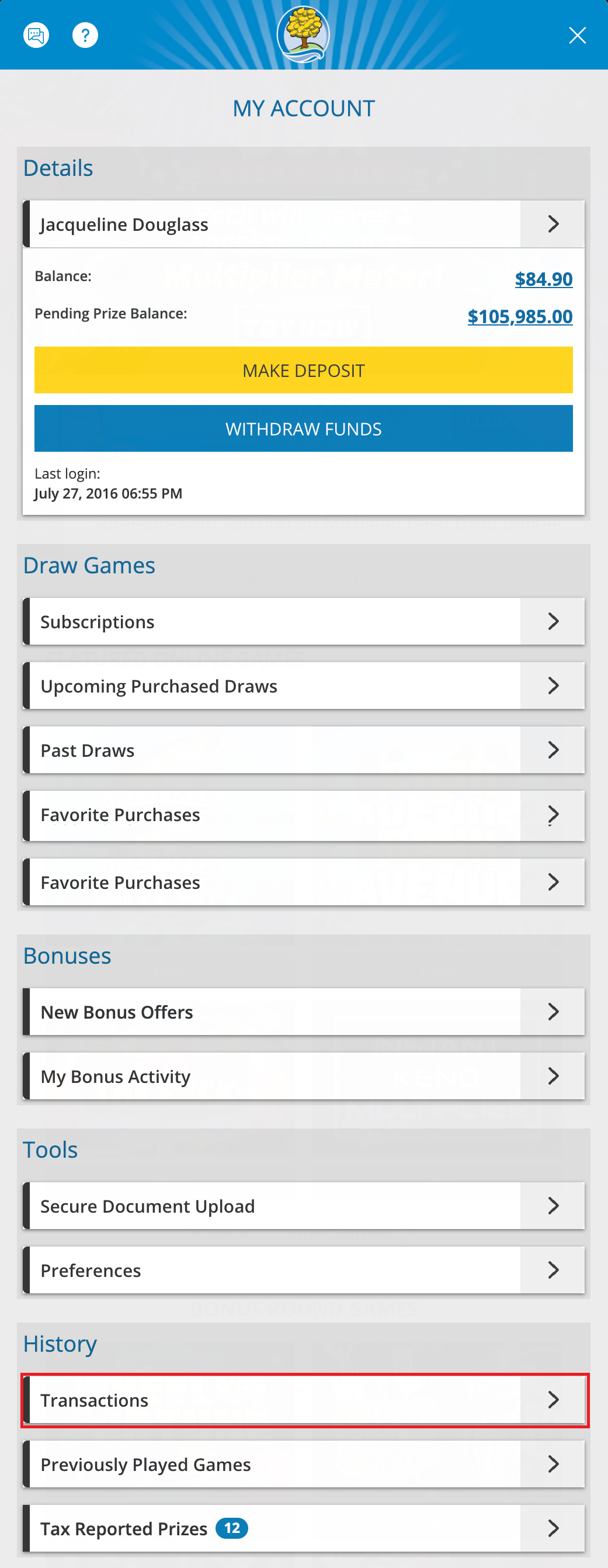
- Go to My Account and select “Transactions” in the History section.
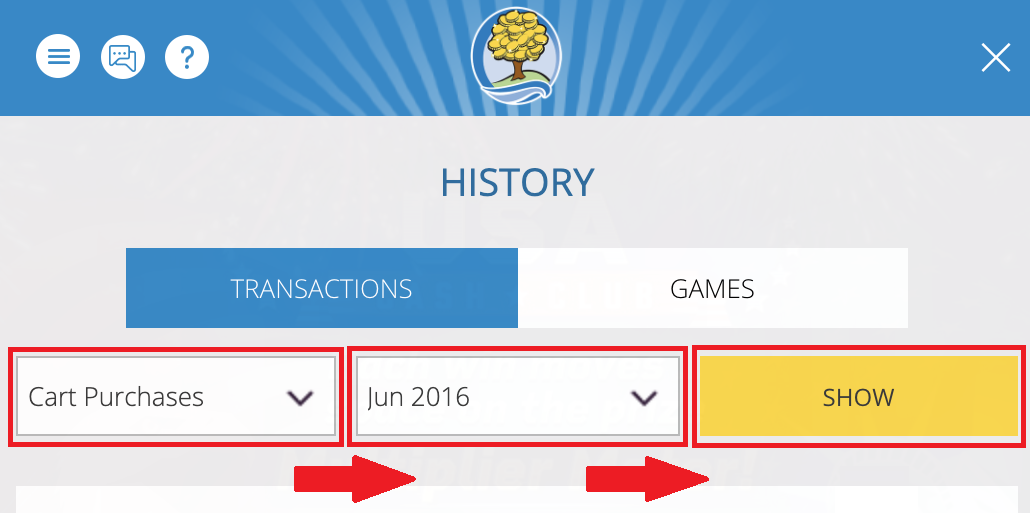
- Select “Cart Purchases” and the month the purchase occurred from the drop-down, then select “Show".
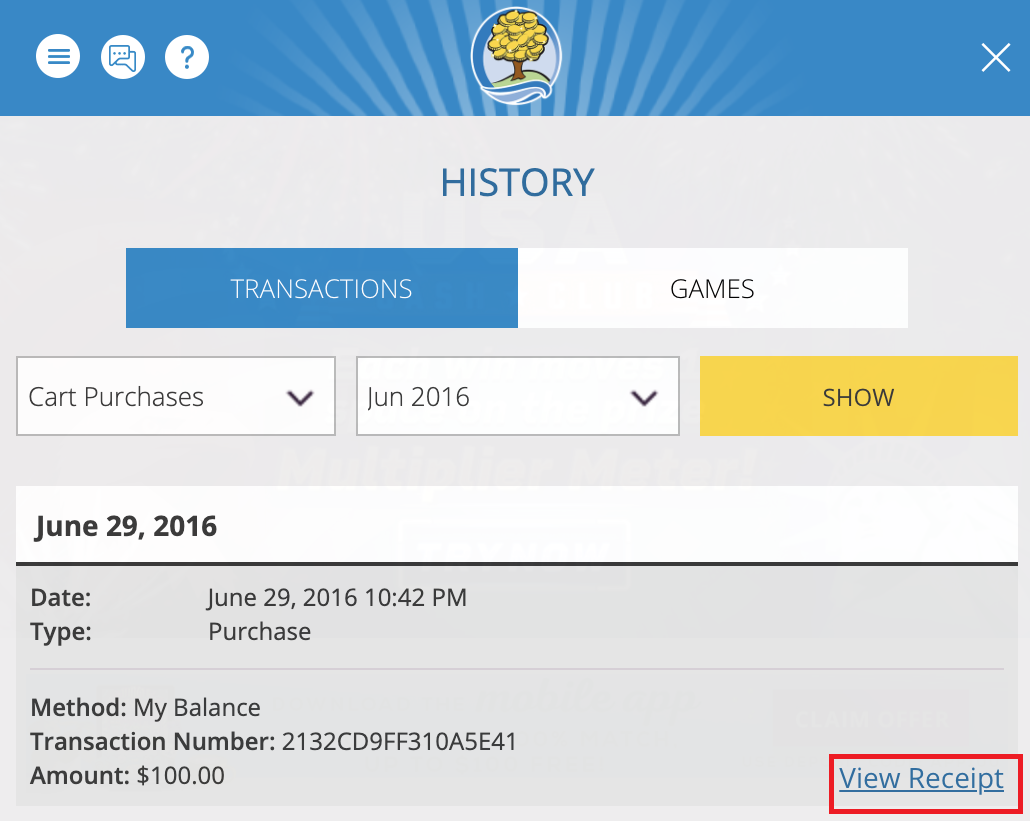
- Find the Shopping Cart purchase in the list of results and select the “View Receipt.”
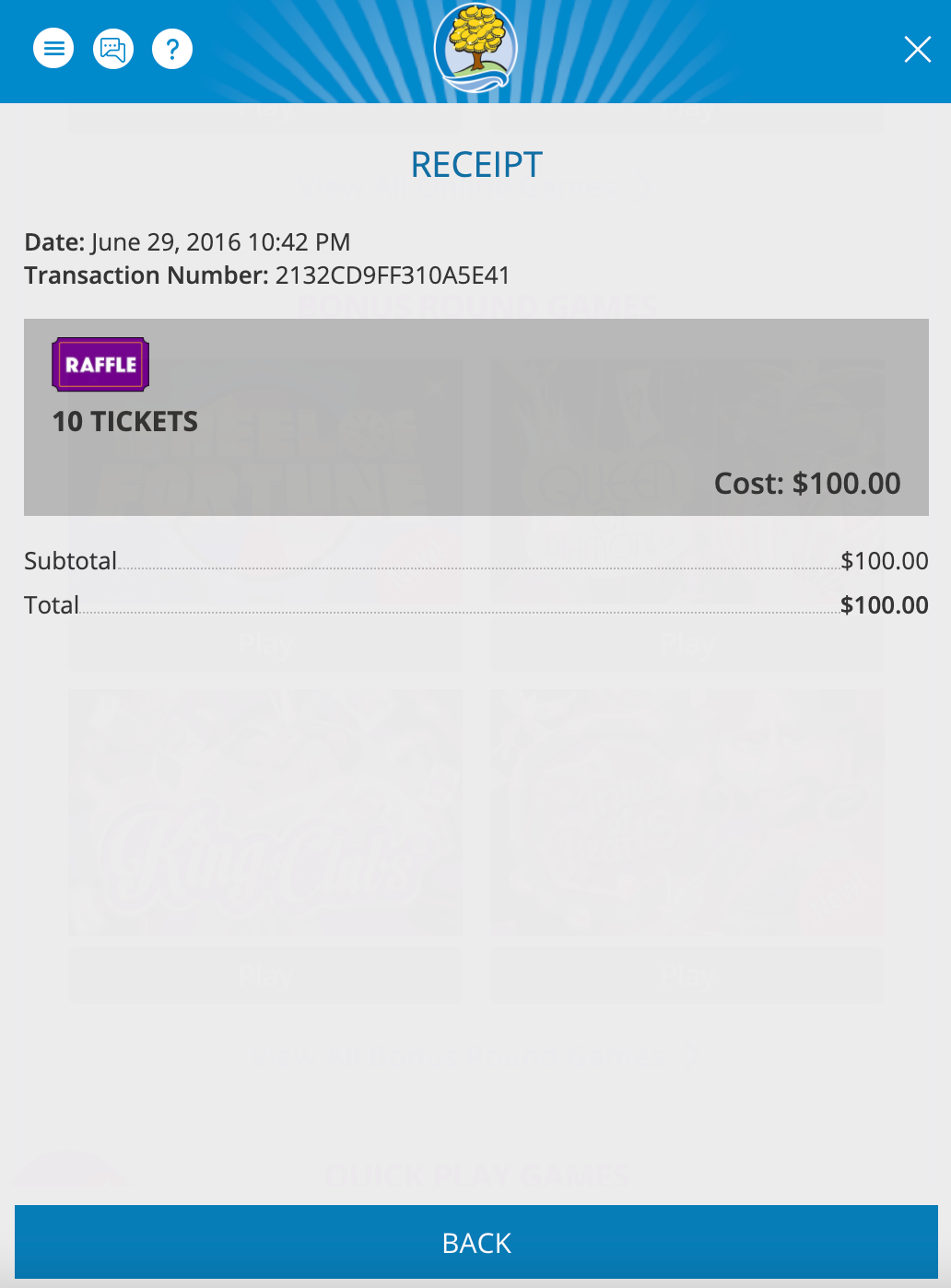 Your purchased numbers for upcoming drawings can be found by selecting Upcoming Draws in My Account.
Drawing days and times are listed on our Drawing Schedule Page.
Was this article helpful?
That’s Great!
Thank you for your feedback
Sorry! We couldn't be helpful
Thank you for your feedback
Feedback sent
We appreciate your effort and will try to fix the article