Mobile Device
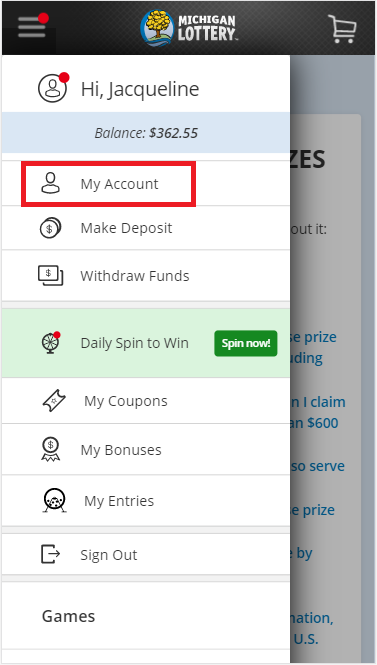
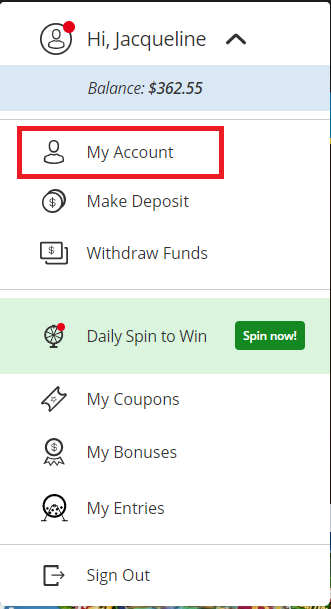
- Select "My Account" from the hamburger menu.
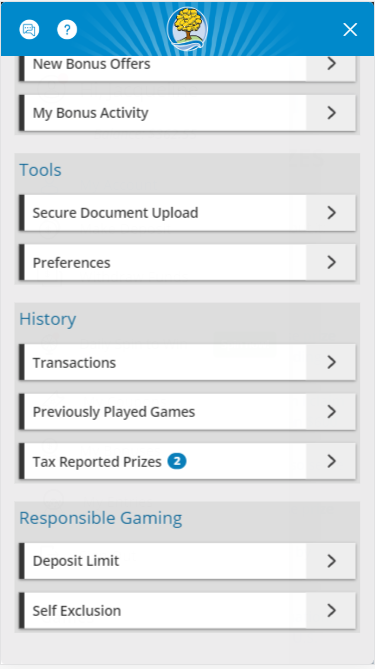
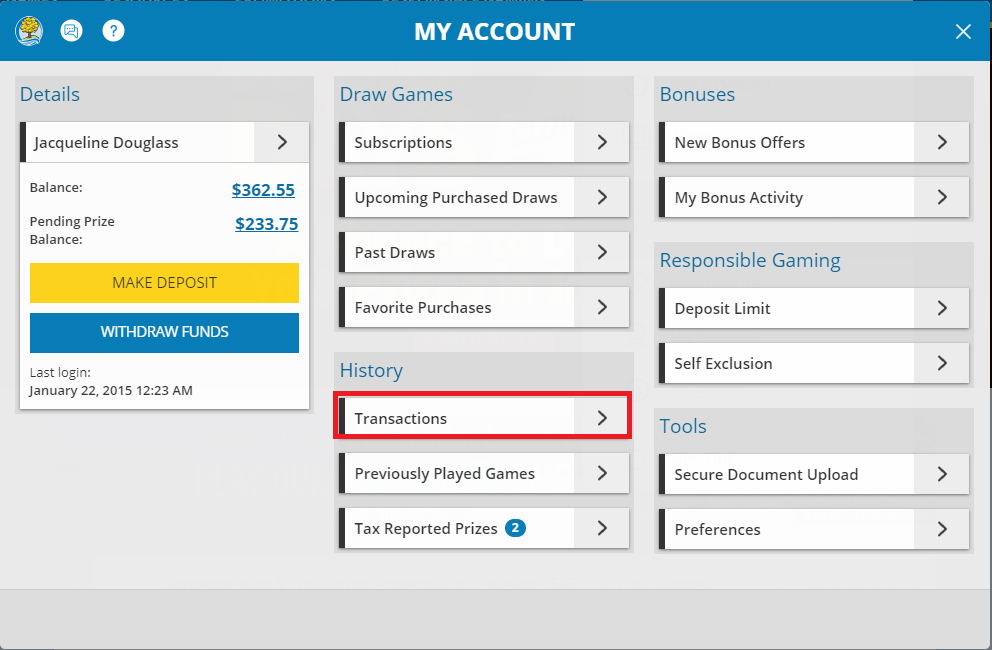
- Scroll down and select "Transactions" from the History section of your account.
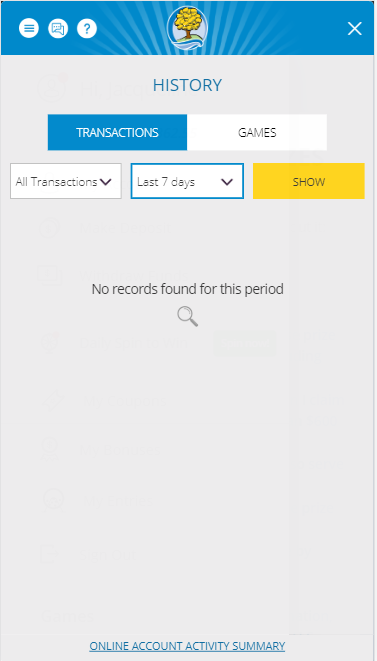
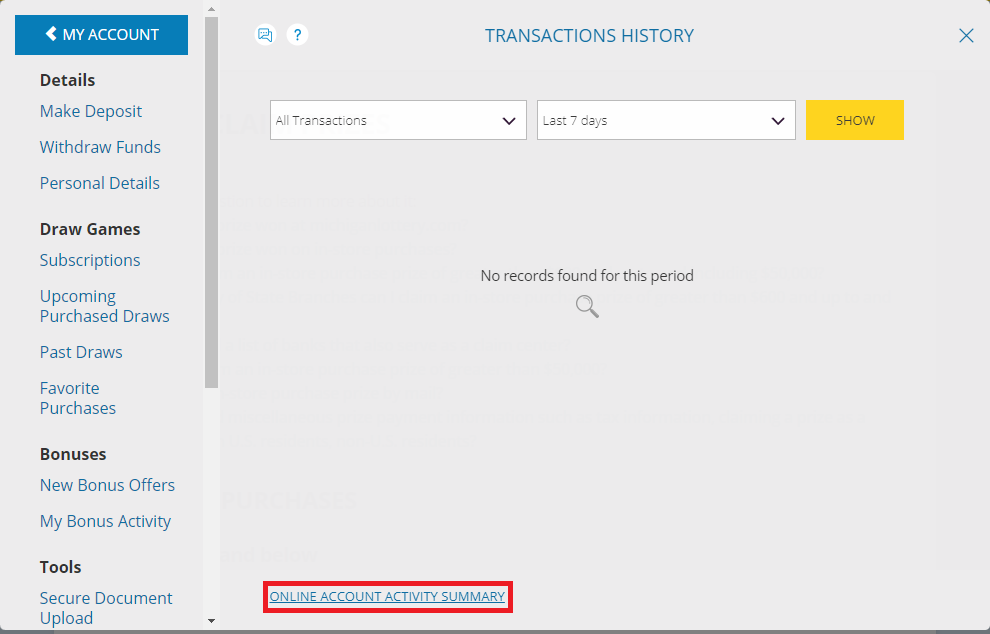
- Select the "Online Account Activity Summary" link.
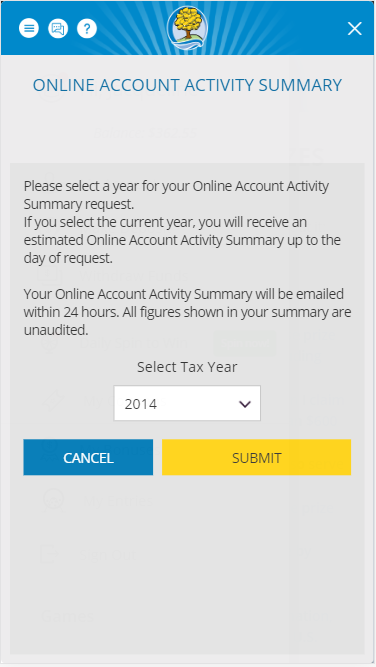
- Select the tax year you are requesting activity for, then select "submit".
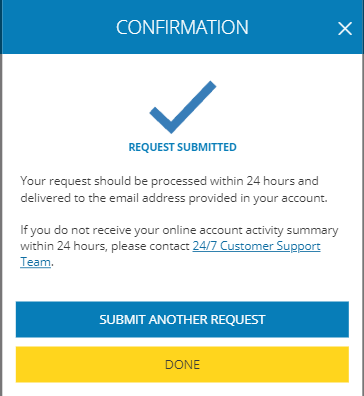
- Receive confirmation, then select the "Submit Another Request" button if you would like to request further account activity summaries, or select "Done" to close the confirmation.
Desktop Computer
- Select "My Account" from the player menu.
- Select "Transactions" from the History section of your account.
- Select the "Online Account Activity Summary" link from the bottom of the page.
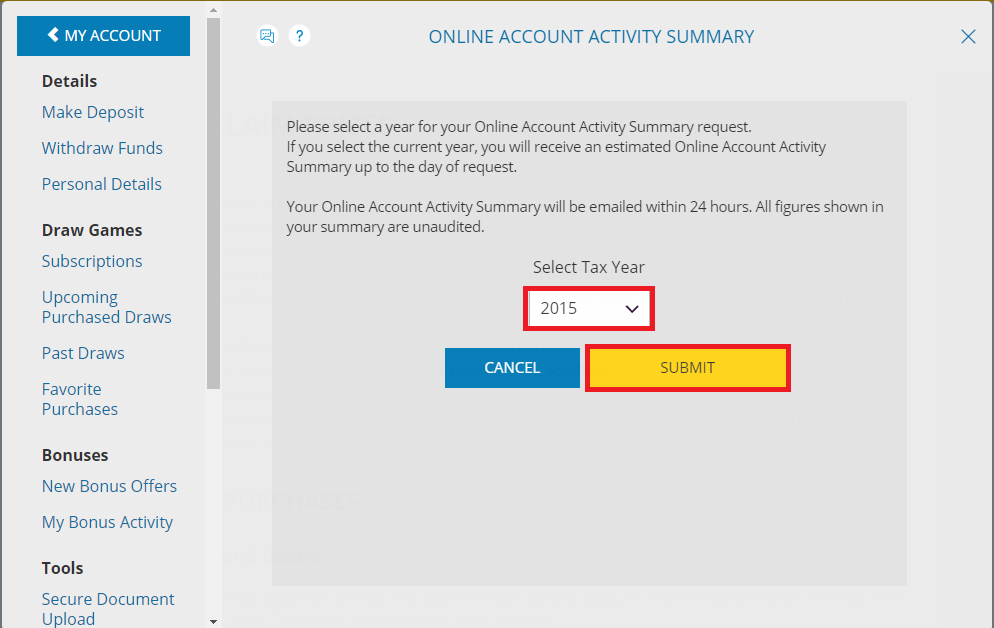
- Select the Tax Year your are requesting account activity for, then select "Submit".
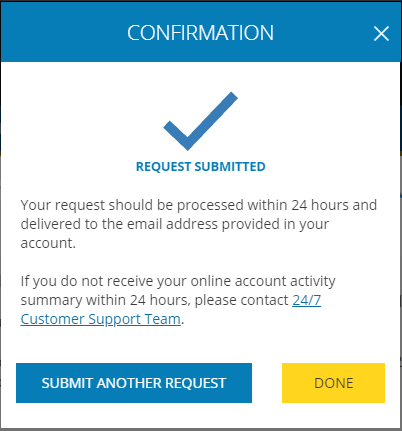
- View confirmation, then select the "Submit Another Request" button to submit another request, or select the "Done" button to close the confirmation.
Was this article helpful?
That’s Great!
Thank you for your feedback
Sorry! We couldn't be helpful
Thank you for your feedback
Feedback sent
We appreciate your effort and will try to fix the article