Select the type of device you're using below for the proper guide:
Mobile Phone:
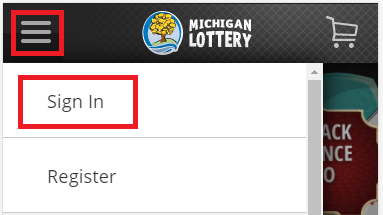
- Sign In from the menu. The menu is accessible by selecting the “ ” icon in the upper-left portion of your screen. Select “Sign in” from the mobile menu and enter your Michigan Lottery account credentials.
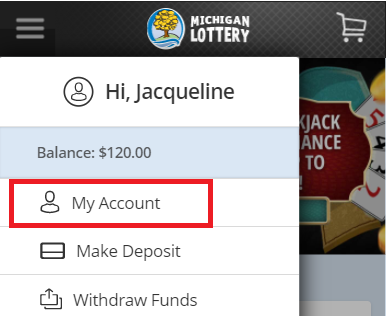
- Select “My Account” from the mobile menu.
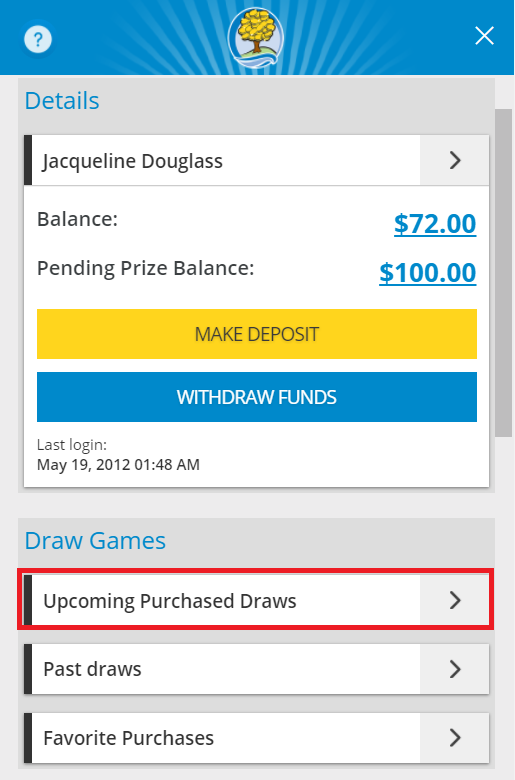
- Select “Upcoming Purchased Draws”.
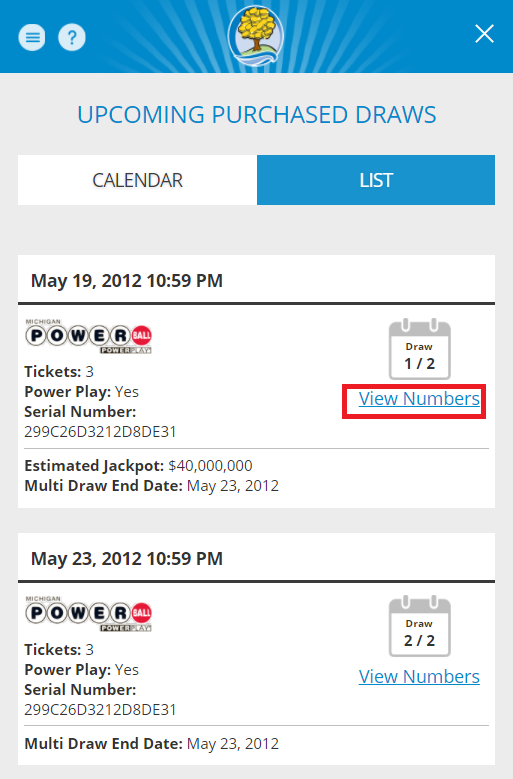
- View Upcoming Draw Details.
By default, you will see your upcoming draws in a List view. You can select “Calendar” to view your upcoming draws in an alternate layout.
In the list view:
The draw game tickets that you have purchased will be displayed in order of when the next drawing occurs from soonest to latest.
Select “View Numbers” on each entry to view your numbers for that draw.
In the calendar view:
The dates with drawings that you purchased tickets for have blue, bolded text and a dot.
To see more information about the tickets that you have purchased, select the draw date (a circle will appear around the draw date you select).
A list of games that you have purchased tickets for will appear on the screen.
Select the “View Numbers” button to view more details about the tickets that you have purchased.
You can move between months by using the arrow selectors at the top of the calendar.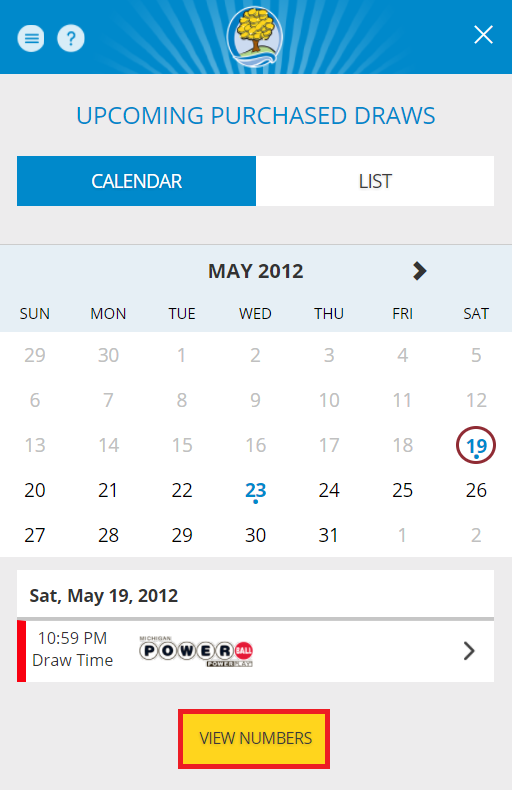
Desktop Computer:
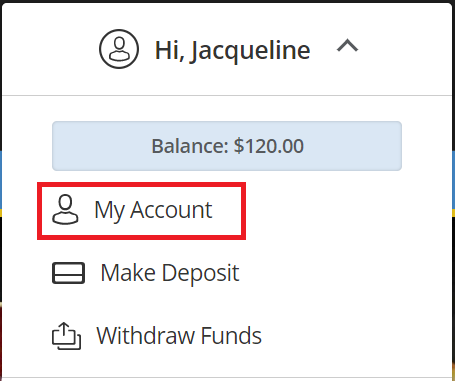
- Sign In and select your name to open the Account Menu.

- Select “My Account” from the menu.
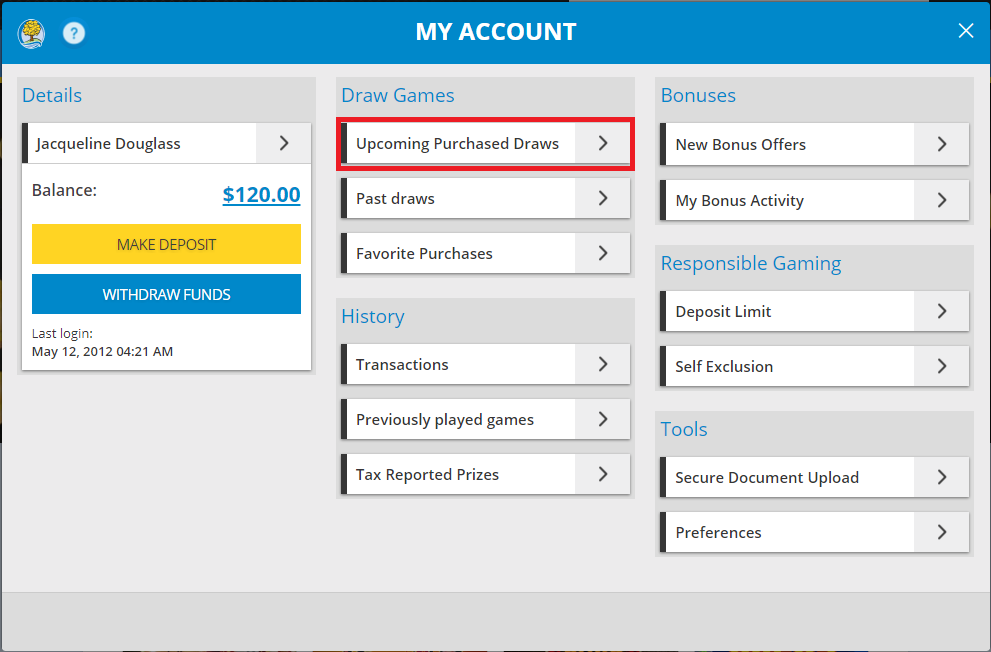
- Select “Upcoming Purchased Draws” from the account menu.
- View Upcoming Draw Details.
By default, you will see your upcoming draws in a List view. You can select “Calendar” to view your upcoming draws in an alternate layout.
In the list view:
The draw game tickets that you have purchased will be displayed in order of when the next drawing occurs from soonest to latest.
Select “View Numbers” on each entry to view your numbers for that draw.
In the calendar view:
The dates with drawings that you purchased tickets for have blue, bolded text and a dot.
To see more information about the tickets that you have purchased, select the draw date (a circle will appear around the draw date you select).
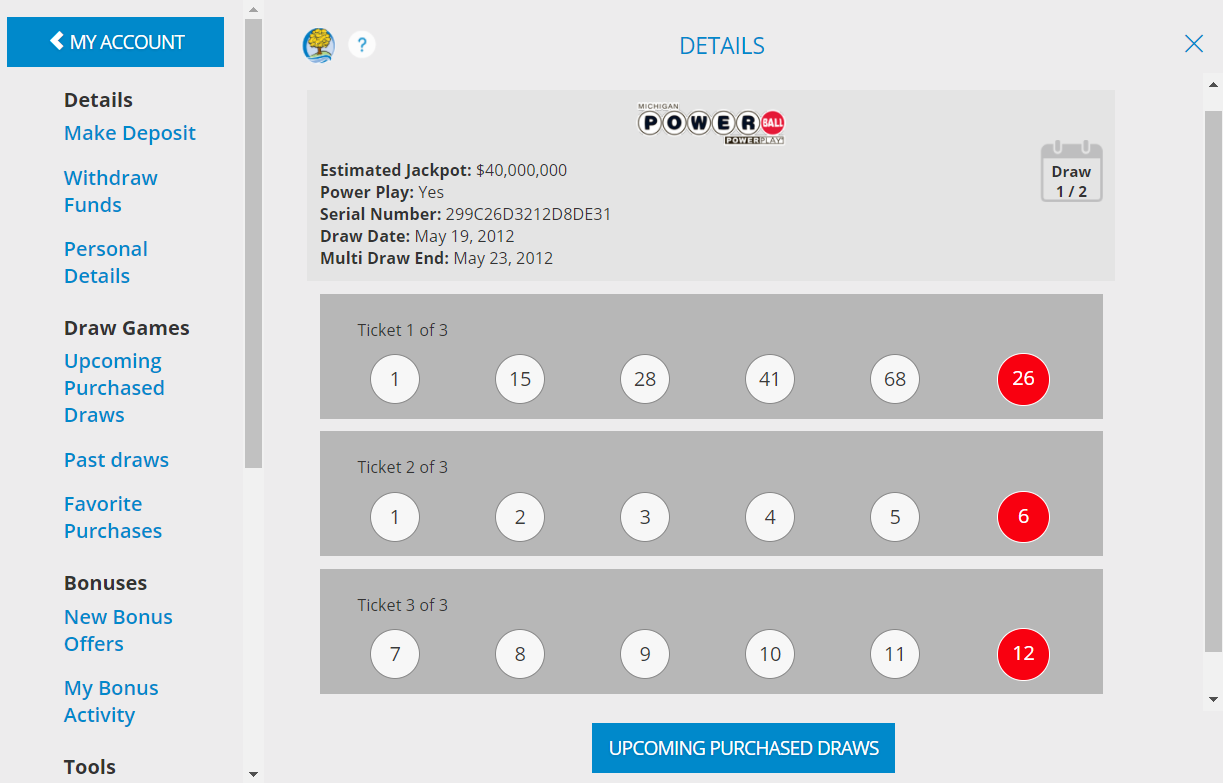
A list of games that you have purchased tickets for will appear on the screen.
Select the “View Numbers” button to view more details about the tickets that you have purchased.
You can move between months by using the arrow selectors at the top of the calendar.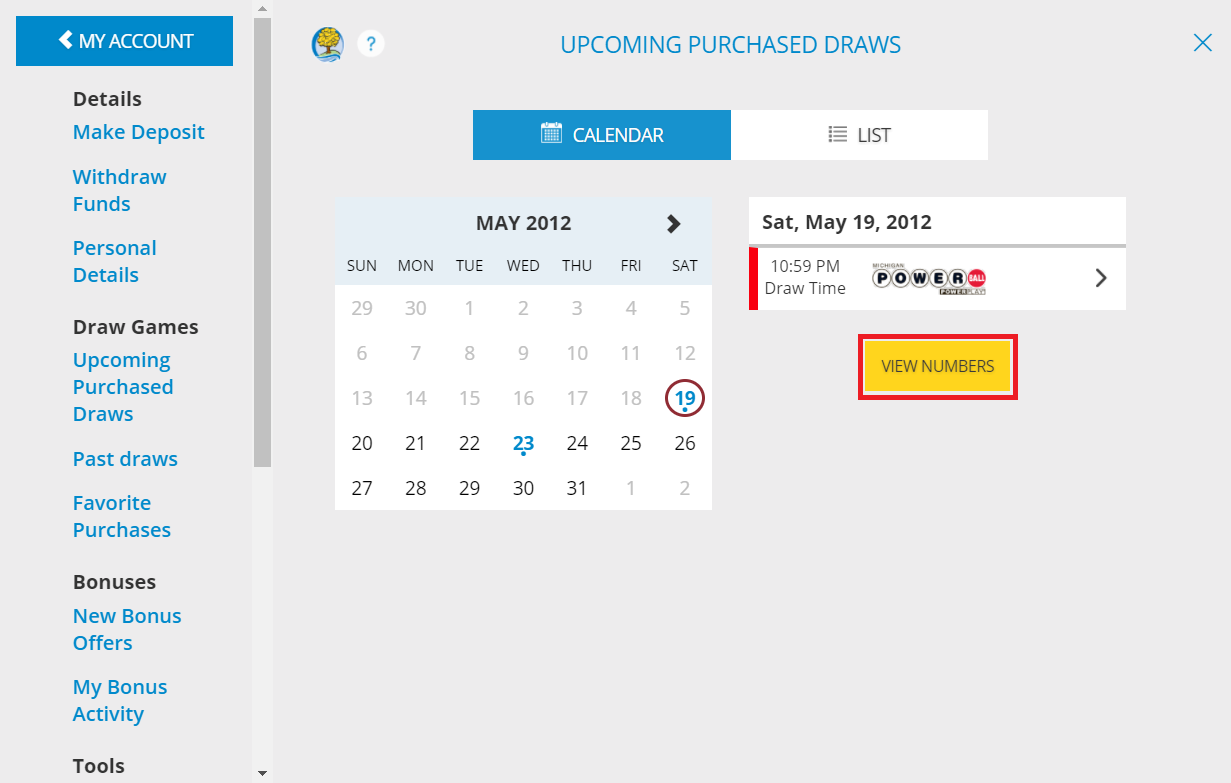
Was this article helpful?
That’s Great!
Thank you for your feedback
Sorry! We couldn't be helpful
Thank you for your feedback
Feedback sent
We appreciate your effort and will try to fix the article