Mobile Phone
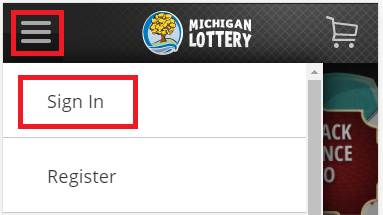
- Sign In from the menu. To reach the menu, select the “ ” icon in the upper left-hand corner of your screen.
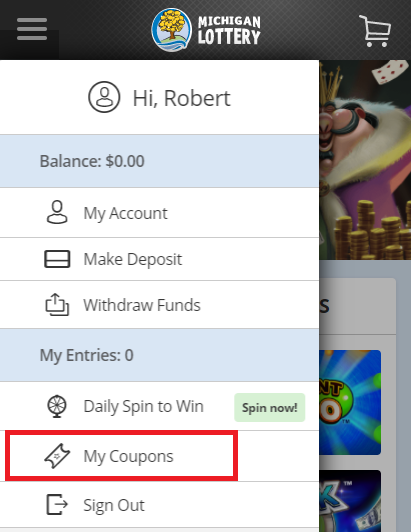
- Select “My Coupons” from the menu.
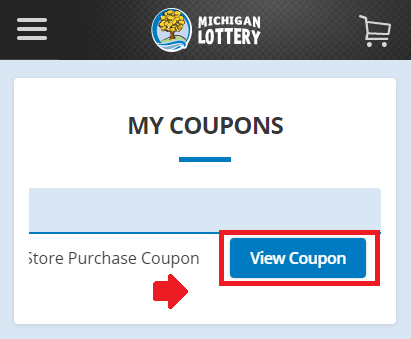
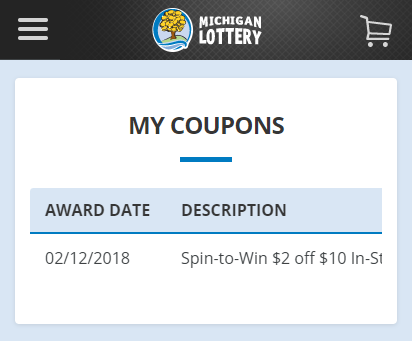
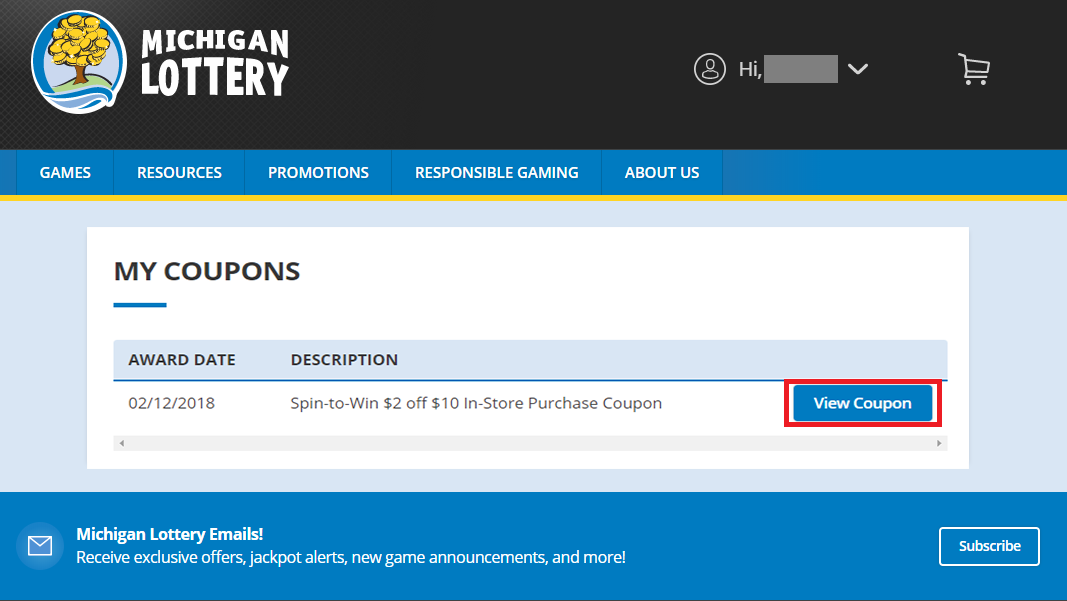
- View your coupon details. Select “View Coupon” to display the printable coupon. (Note: You will need to scroll to the right on your mobile device to find the "View Coupon" button.)
Desktop Computer
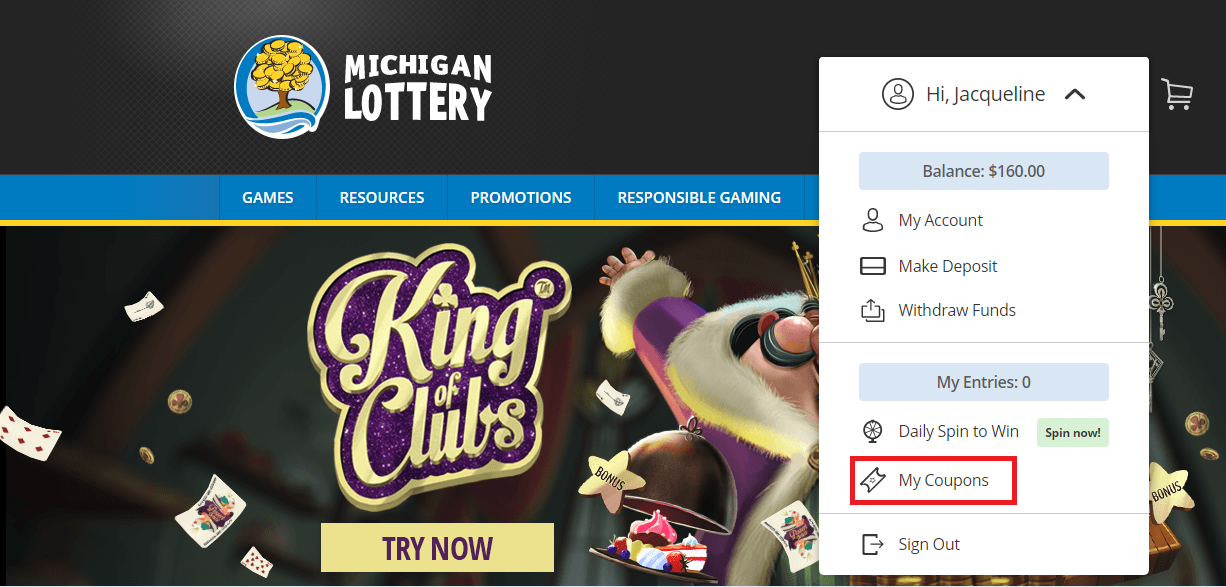
- Sign In and select your name to open the account menu.

- Select ”My Coupons” from the account menu.
- View your coupon details. Select “View Coupon” to display the printable coupon.
Was this article helpful?
That’s Great!
Thank you for your feedback
Sorry! We couldn't be helpful
Thank you for your feedback
Feedback sent
We appreciate your effort and will try to fix the article