Daily Spin to Win prizes can be found in multiple places within the Michigan Lottery website and Michigan Lottery Mobile Apps. Please see details about where to fi nd these prizes outlined below.
In-Game Prize Pop-Up
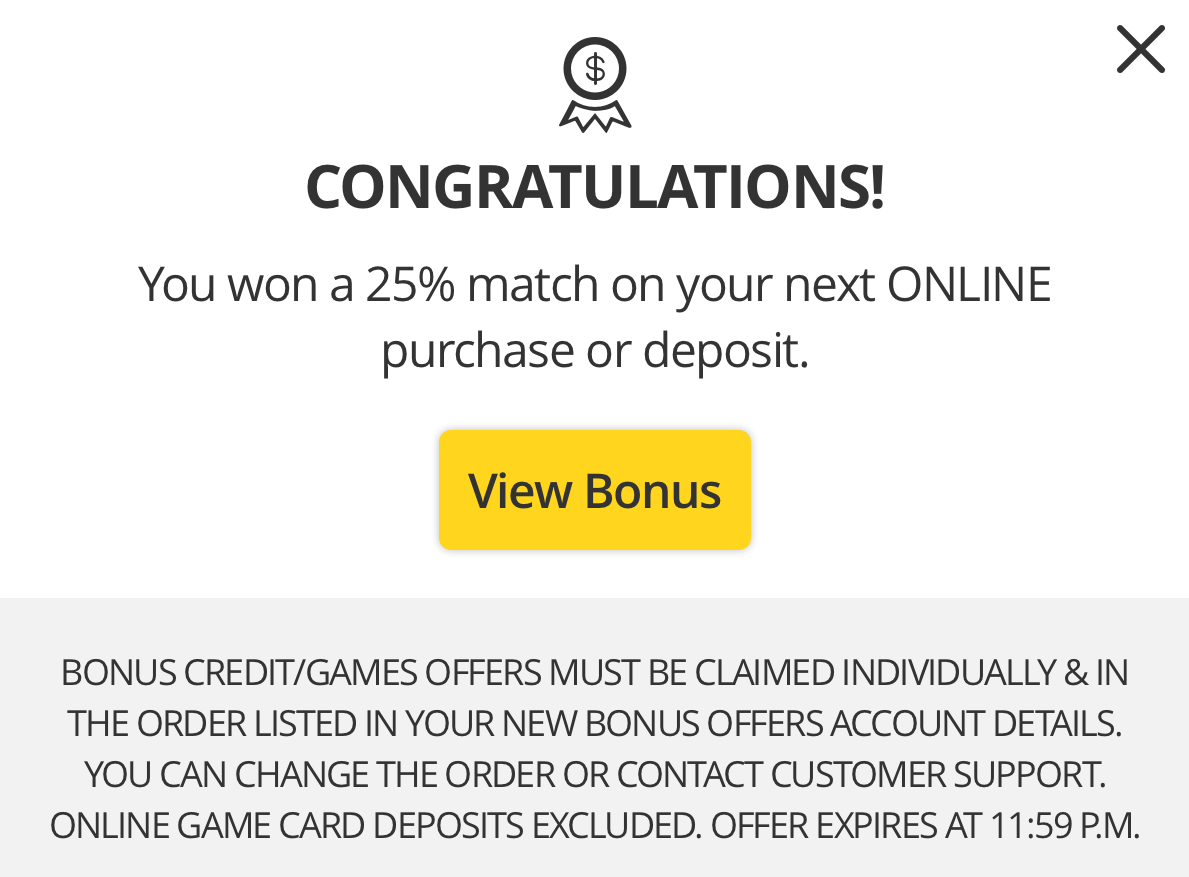
After completing a spin on the Daily Spin to Win wheel, the prize y
ou won
should appear in a pop-up that is served over the game. Please see the example below.
My Prize History
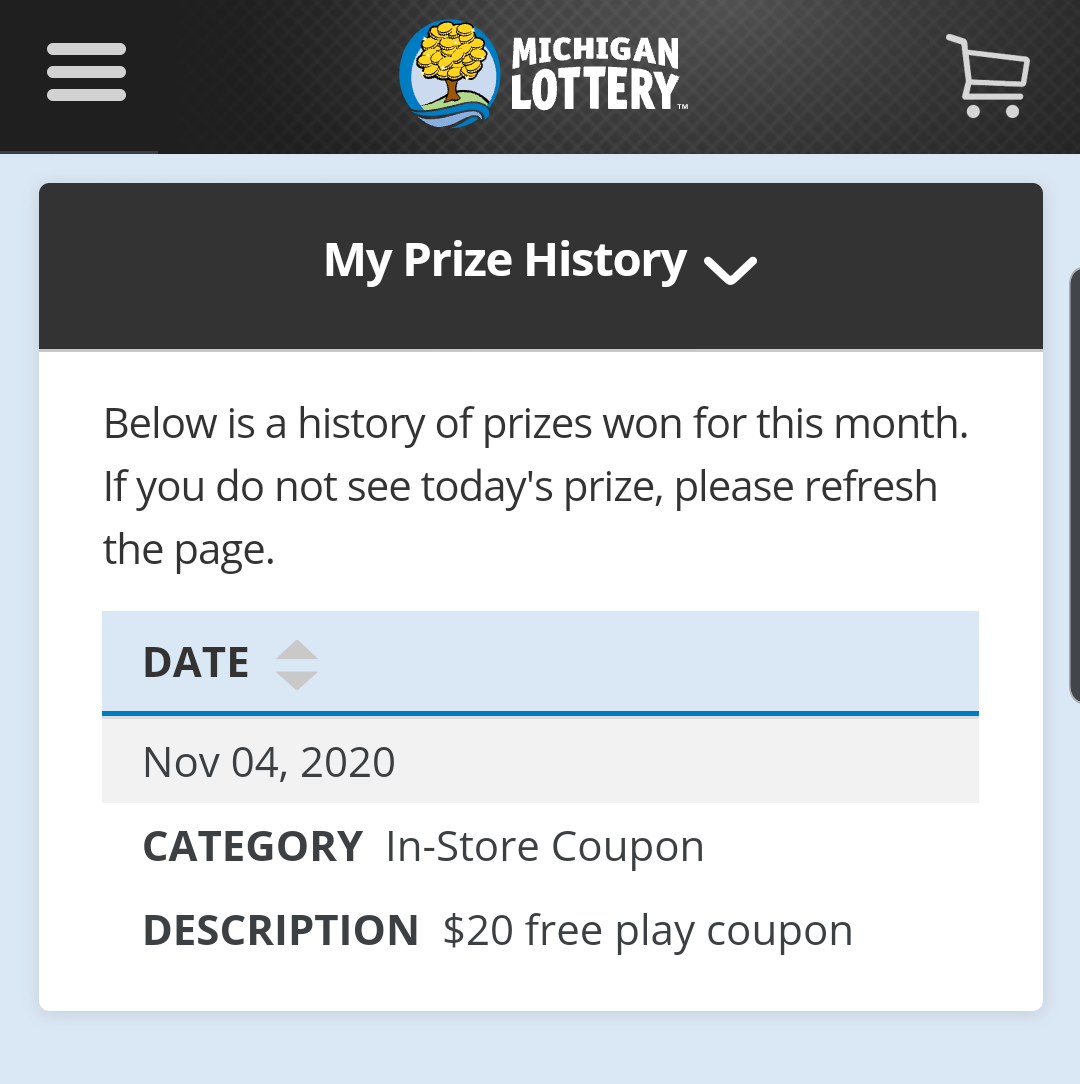
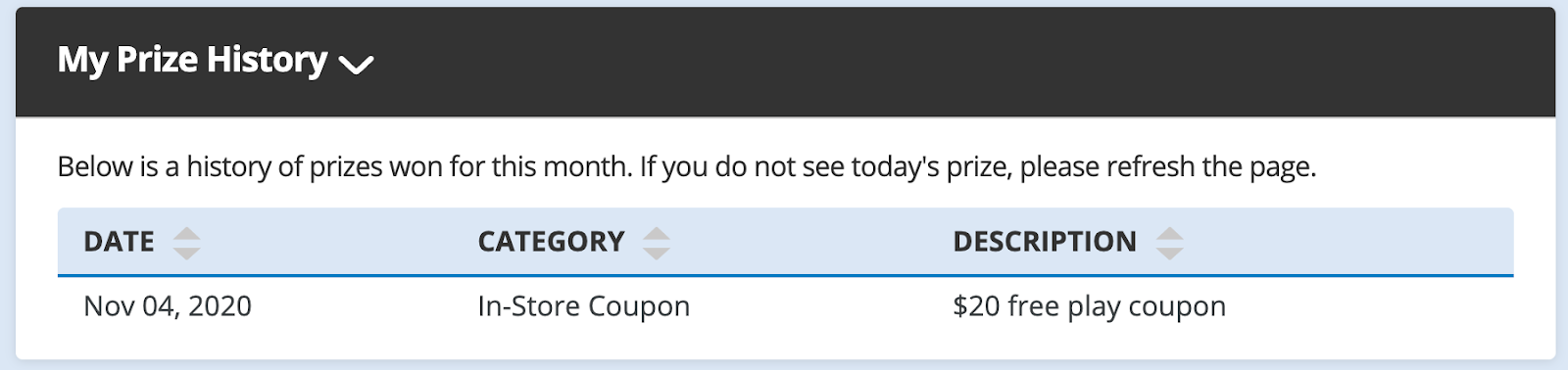
All prizes won in the current month will also appear in a section labeled “My Prize History” on the Daily Spin to Win page.
On a Mobile Device
To start, you must sign in to your account.
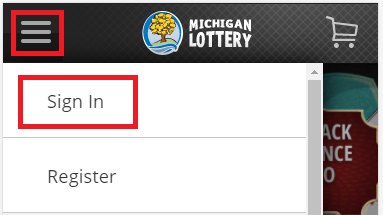
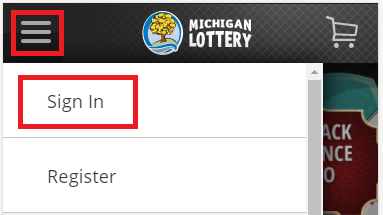
Select the “?” icon in the upper-left portion of your screen
Then select “Sign In” and enter your Michigan Lottery account credentials.
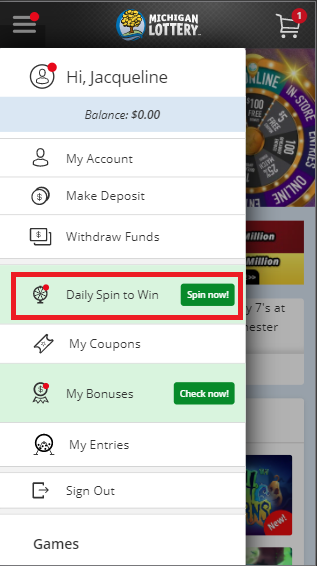
Select “
Daily Spin to Win
” from the menu
Scroll down to the
section labeled “My Prize History.”
The prizes listed in this table are for the current month only and will be cleared when the next month starts.
On a Desktop Device
1.
To start, you must sign in to your account.
Select the Sign In button in the upper-right portion of your screen and enter your Michigan Lottery account credentials.

2.
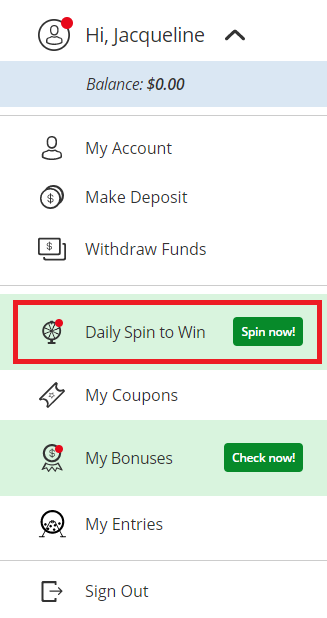
After signing in, select your name to expand the account menu.

3.
Select “
Daily Spin to Win
” from the menu.
4.
Scroll down to the
section labeled “My Prize History.” a.
The prizes listed in this table are for the current month only and will be cleared when the next month starts.
Individual Prizes
Each type of prize won playing Daily Spin to Win, is also visible in dedicated areas on the Michigan Lottery website or within the Michigan Lottery mobile app. Please see the types of prizes below and where more information can be found.
You must be signed in to your Michigan Lottery account to access all of the content listed below. To sign in on a mobile device, select “Sign In” from the menu. To sign in on a desktop device, select the “Sign In” button at the top of the screen.
In-Store Free Play
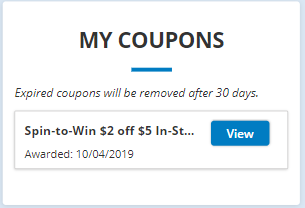
In-Store Free Play or “coupons” can be found by visiting the My Coupons page.
To start, you must sign in to your account.
Select the “?” icon in the upper-left portion of your screen
Then select “Sign In” and enter your Michigan Lottery account credentials.
Select “My Coupons.”
All In-Store Free Play won through the Daily Spin to Win game will be listed here until it expires.
Online Free Play
Online Free Play will be listed on the New Bonus Off ers page.
To start, open the account menu.
On a mobile device, select the “?” icon in the upper-left portion of your screen.
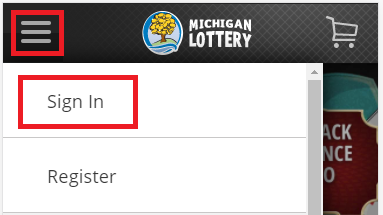
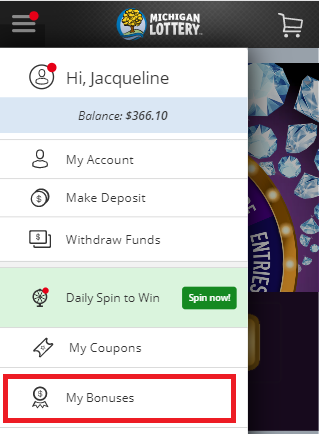
On a desktop device, select your name at the top of the
page
screen

.
Select “My Bonuses.”
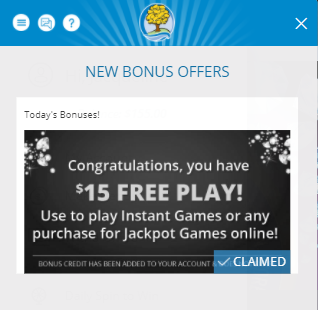
Now
you should see the
New Bonus Off ers screen.
New bonuses won on the Daily Spin to Win game will be listed with a banner and a button.
The banner should provide details about what next steps need to be taken to claim the bonus off er.
Giveaway Entries
Giveaway entries won playing the Daily Spin to Win game are found on the
Daily Spin to Win page
.
1.
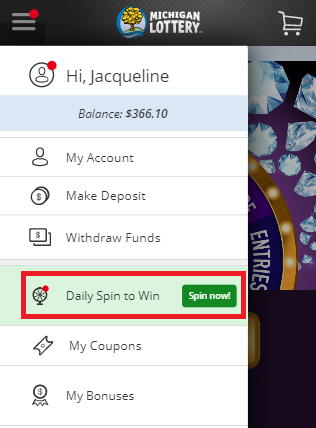
To start, open the account menu.
a.
On a mobile device, select the “?” icon in the upper-left portion of your screen.
b.
On a desktop device, select your name at the top of the
screen
.
2.
Go to the Daily Spin to Win page.
3.
Scroll down past the wheel.
a.
The total number of Giveaway Entries that you have in the current month’s cash prize giveaway are displayed here.

Was this article helpful?
That’s Great!
Thank you for your feedback
Sorry! We couldn't be helpful
Thank you for your feedback
Feedback sent
We appreciate your effort and will try to fix the article