There are three guides present below:
- Mobile Phone
- Desktop Computer
- Mail-in Email Address Change
Mobile Phone
- To start, you must sign in to your account.
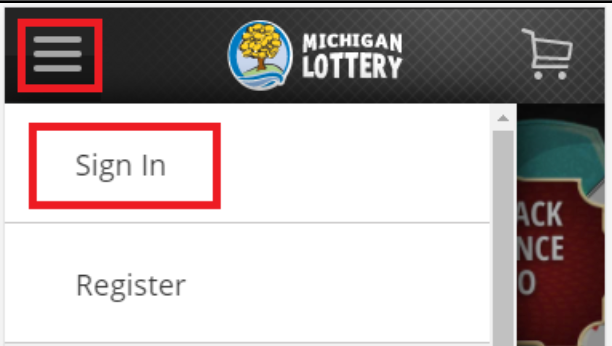
- Select the “ ” icon in the upper-left portion of your screen
- Then select “Sign In” and enter your Michigan Lottery account credentials.
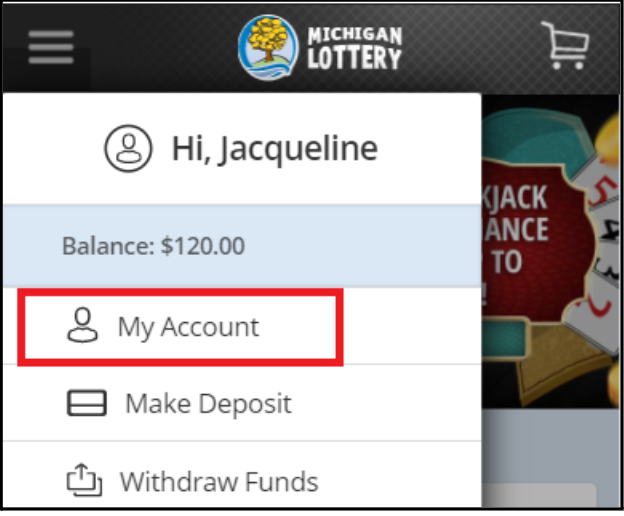
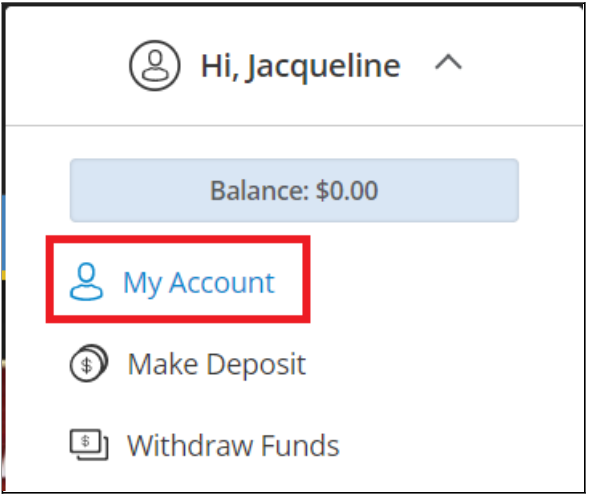
- Select “My Account.”
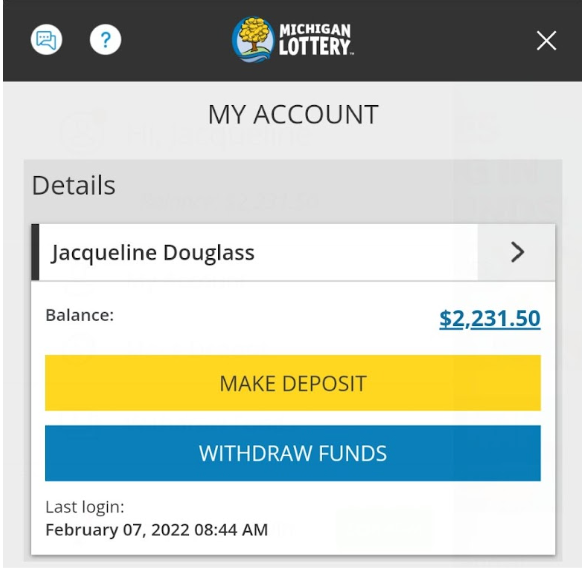
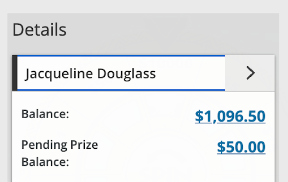
- Select your name, or the arrow to the right of your name, in order to view your personal details.
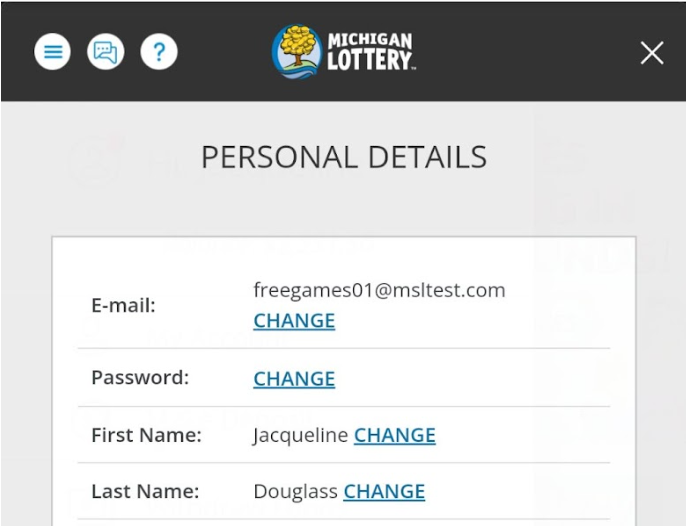
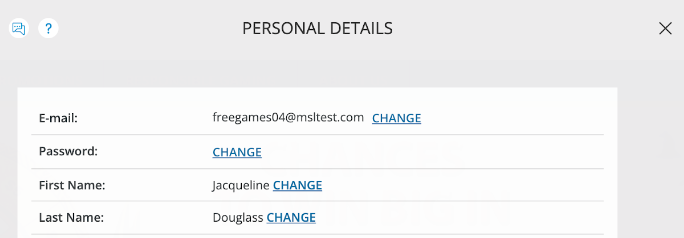
- Select “CHANGE” in the E-mail field.
- First, enter the current email address registered with your Michigan Lottery account.
- Then enter the new email address that you would like to register with your Michigan Lottery account.
- Select “SUBMIT” to confirm the changes.
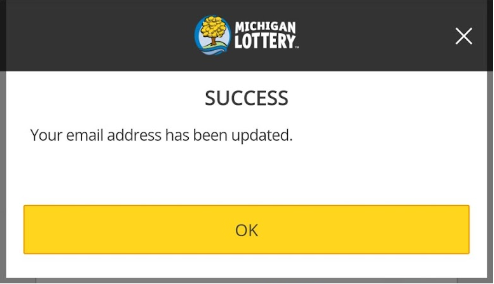
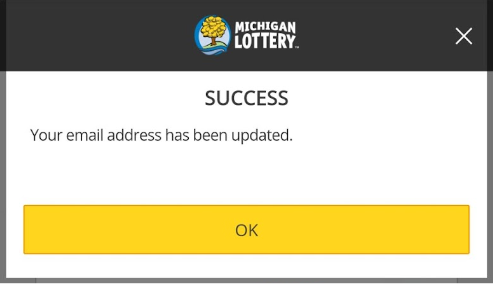
- Select “OK” on the Success confirmation screen.
Desktop Computer
- To start, you must sign in to your account.
- Select the Sign In button in the upper-right portion of your screen and enter your Michigan Lottery account credentials.
- After signing in, select your name to expand the account menu.

- Select “My Account” from the menu.
- Select your name, or the arrow to the right of your name, in order to view your personal details.
- Select “CHANGE” in the E-mail field.
- First, enter the current email address registered with your Michigan Lottery account.
- Then enter the new email address that you would like to register with your Michigan Lottery account.
- Select “SUBMIT” to confirm the changes.
- Select “OK” on the Success confirmation screen.
Mail-in Email Address Change
If you no longer have access to the email address used during registration and cannot sign into your account, please contact our 24/7 Customer Support Team by submitting this form, calling 1-844-887-6836, or using Live Chat.
Was this article helpful?
That’s Great!
Thank you for your feedback
Sorry! We couldn't be helpful
Thank you for your feedback
Feedback sent
We appreciate your effort and will try to fix the article