There are two guides present below:
Mobile Phone
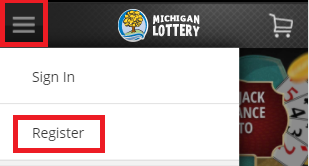
- Select “Register” from the mobile menu. To reach the menu, select the “ ” icon in the upper-left portion of your screen.
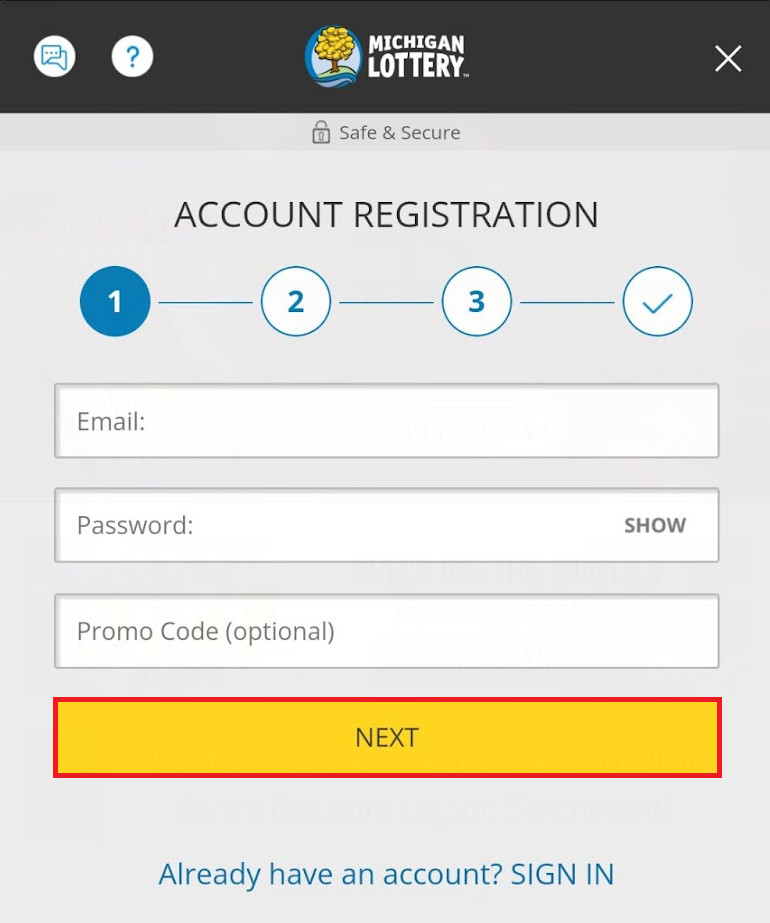
- Enter account information for your Michigan Lottery (email address and password) and any relevant promo code, then select “NEXT.” NOTE: Passwords must have 8-16 characters and contain at least 2 of the following: Uppercase (A-Z), Lowercase (a-z), Numbers (0-9), Symbols ( + * . @ ! # $ - _ , % / [ ] ~ ).
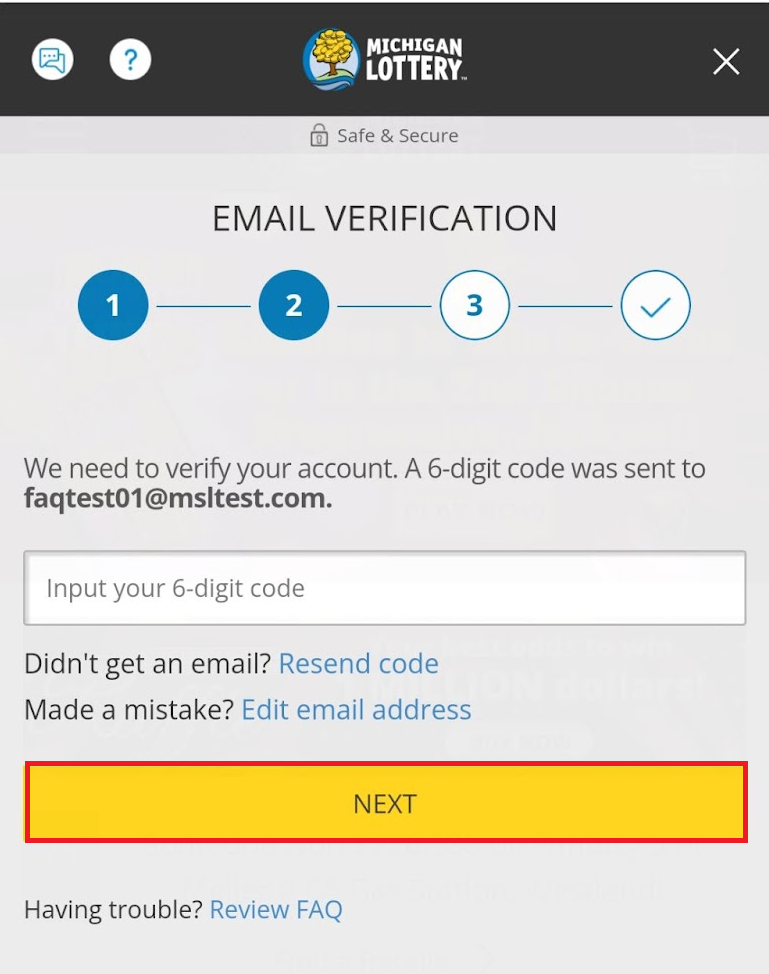
- Enter the 6-digit verification code that is sent to your email address to verify account, then select "NEXT."
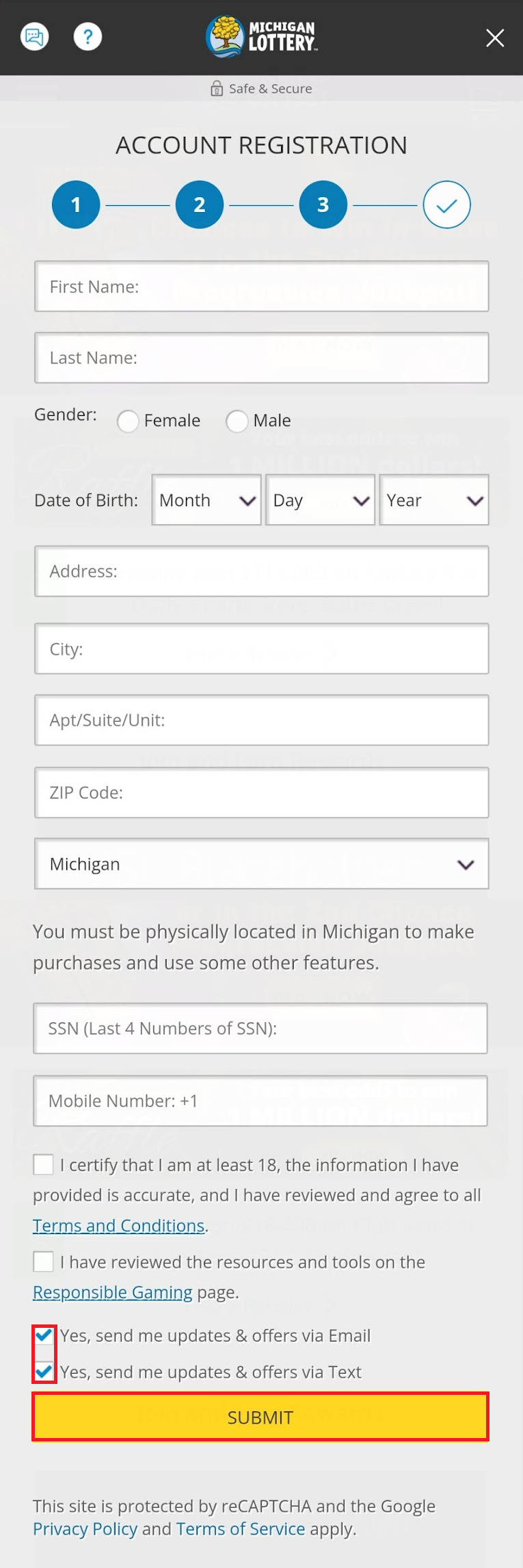
- Enter your personal information, read the terms and conditions, as well as the Responsible Gaming page, then select “SUBMIT” to continue the registration process. Note: You may choose to receive emails and texts about updates and offers.
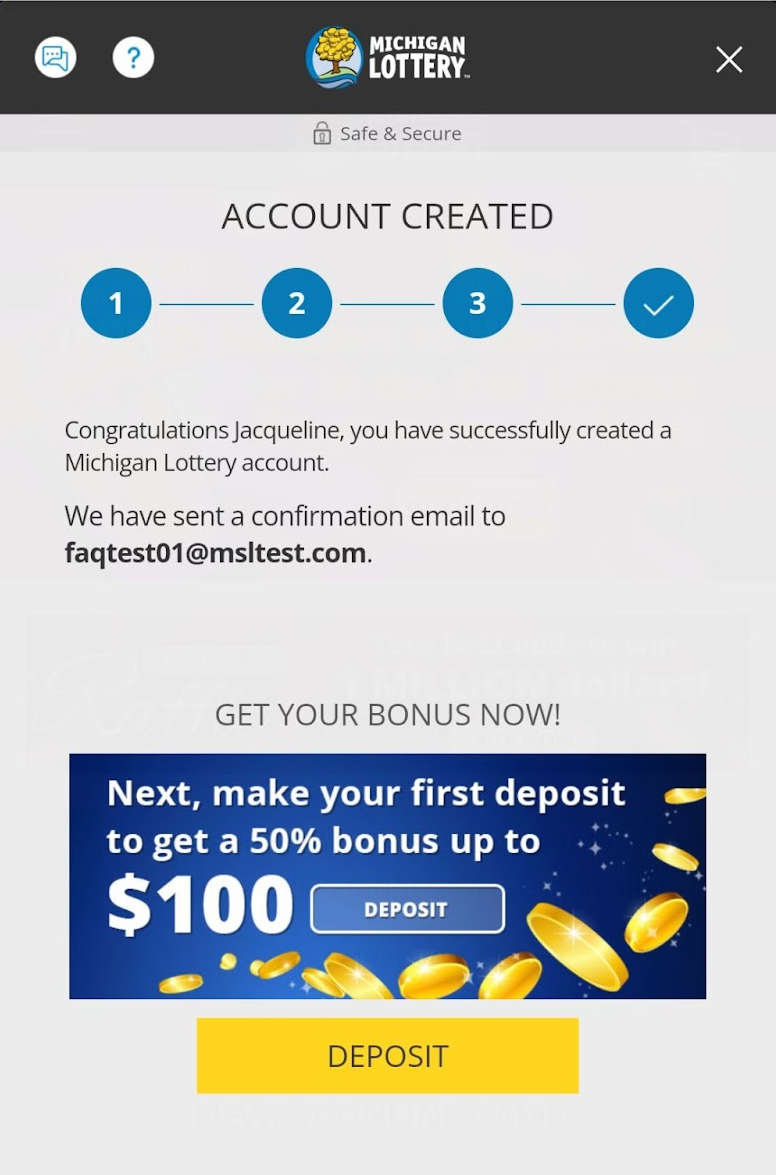
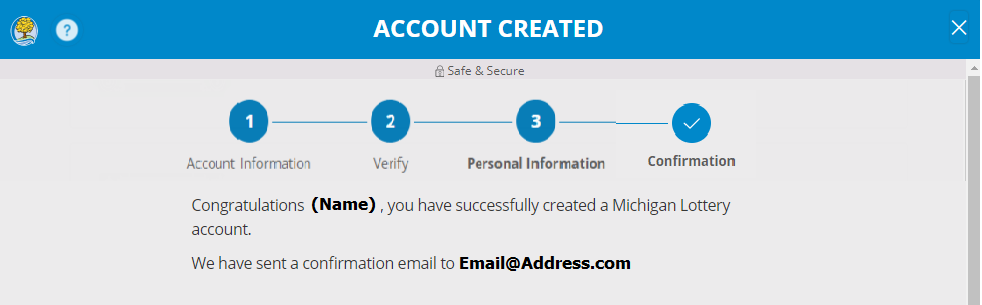
- Your account has been created! Visit your email to view the confirmation email.
Desktop Computer
- Select “REGISTER” in the upper right-hand portion of the site.

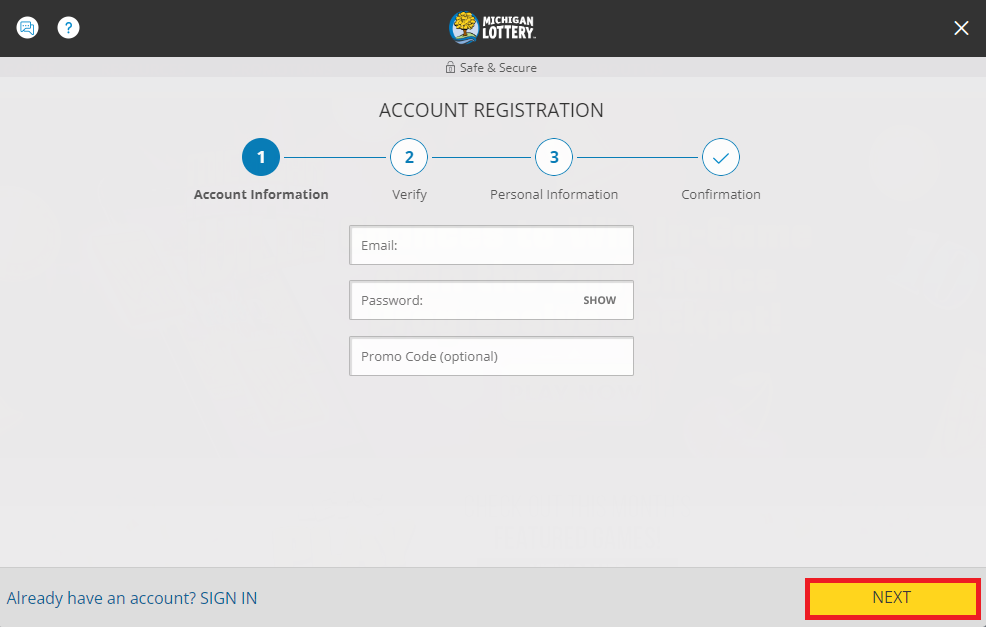
- Enter information for your Michigan Lottery account (email address and password) and any relevant promo code, then select “NEXT.” NOTE: Passwords must have 8-16 characters and contain at least 2 of the following: Uppercase (A-Z), Lowercase (a-z), Numbers (0-9), Symbols ( + * . @ ! # $ - _ , % / [ ] ~ ).
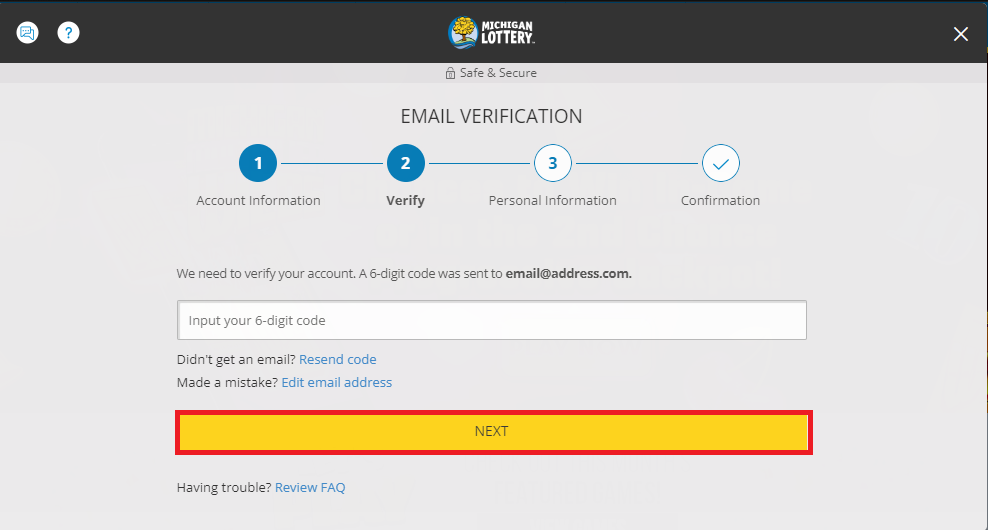
- Enter the 6-digit verification code that is sent to your email address to verify account, then select "NEXT."
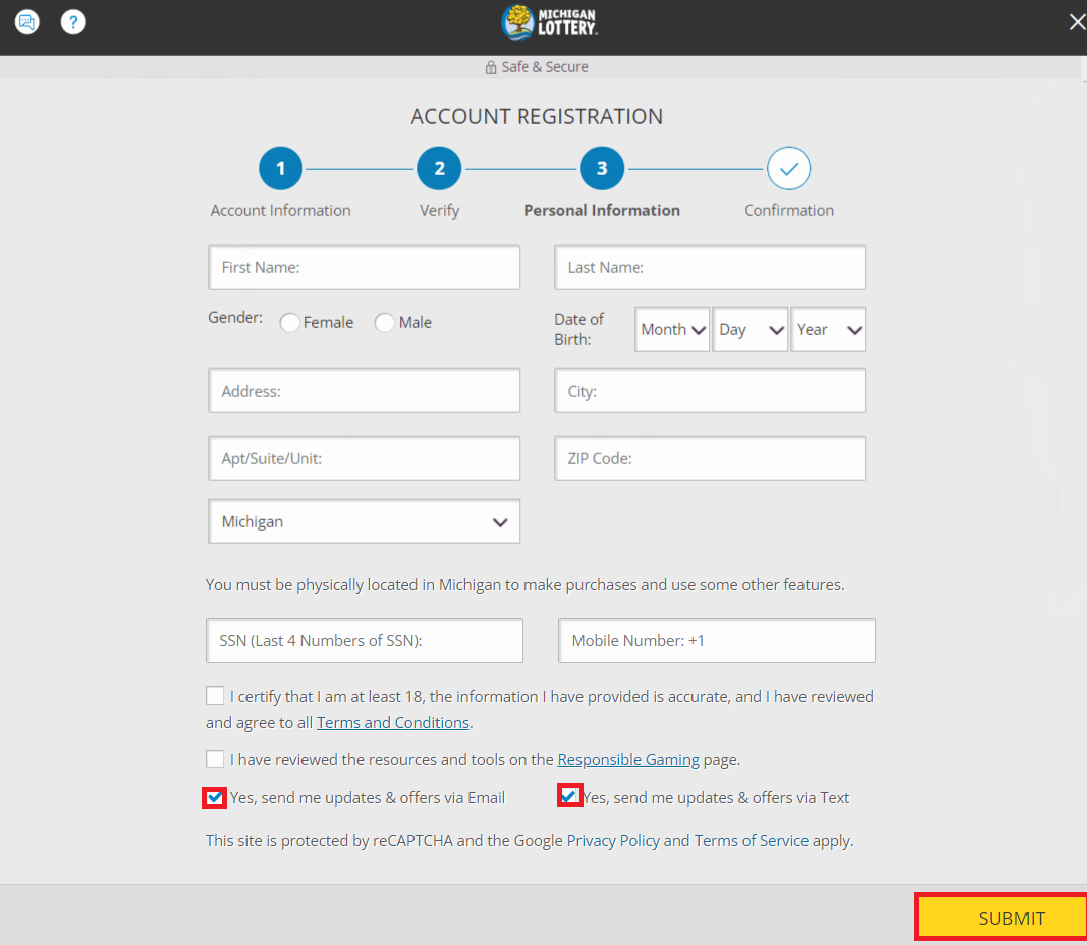
- Enter your personal information, read the terms and conditions, as well as the Responsible Gaming page, then select “SUBMIT” to continue the registration process. Note: You may choose to receive emails and texts about updates and offers
- Your account has been created! Visit your email to view the confirmation email.
Was this article helpful?
That’s Great!
Thank you for your feedback
Sorry! We couldn't be helpful
Thank you for your feedback
Feedback sent
We appreciate your effort and will try to fix the article