Select the type of device you're using below for the proper guide:
Mobile Phone:
- To start, you must sign in to your account
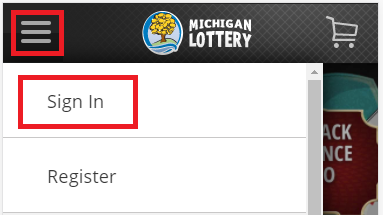
- Select the “ ” icon in the upper-left portion of your screen.
- Then select Sign In and enter your Michigan Lottery account credentials.
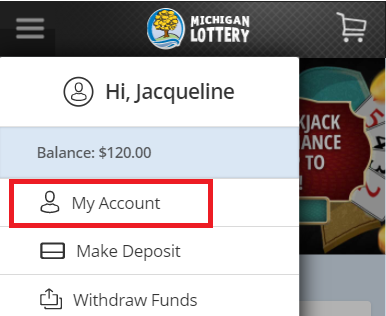
- Select the “ ” icon again and select My Account.
- Select “Deposit Limit”.

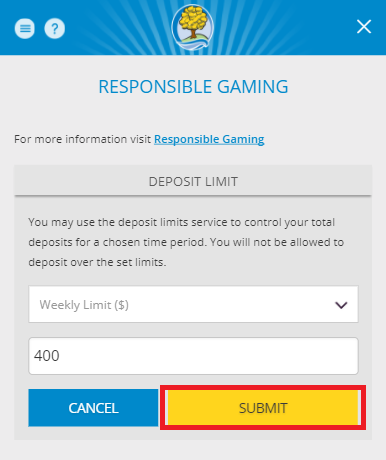
- Enter deposit limit amount and select “SUBMIT” to confirm. Note: you can select the down arrow to switch from Weekly to Daily Limit.
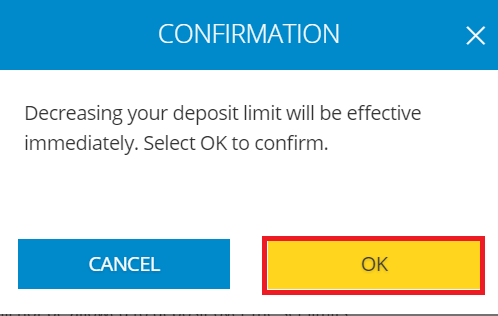
- Select “OK” to confirm the deposit limit.
Desktop Computer:
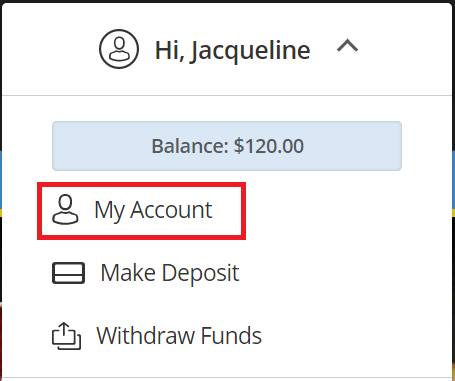
- Sign In and select your name to open the Account Menu.

- Select “My Account” from the menu.
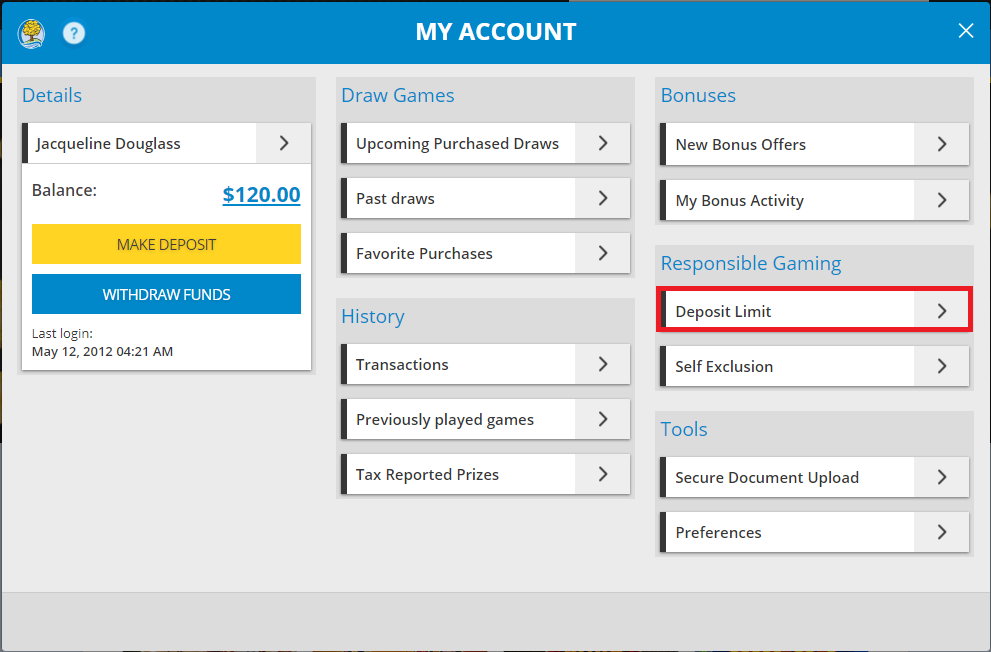
- Select “Deposit Limit”.
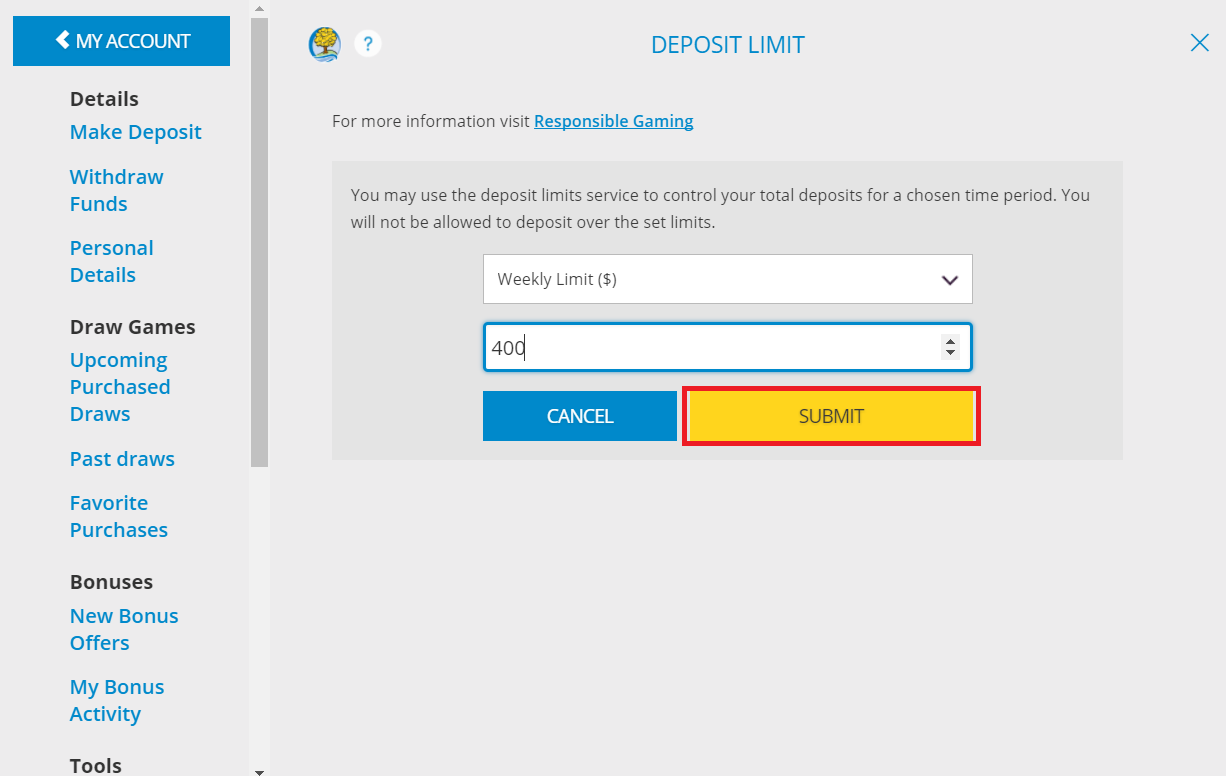
- Enter deposit limit amount and select “SUBMIT” to confirm. Note: you can select the down arrow to switch from Weekly to Daily Limit.
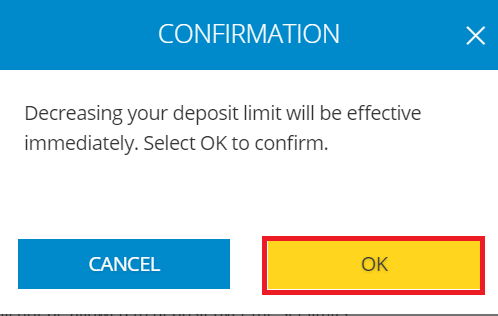
- Select “OK” to confirm the deposit limit.
Was this article helpful?
That’s Great!
Thank you for your feedback
Sorry! We couldn't be helpful
Thank you for your feedback
Feedback sent
We appreciate your effort and will try to fix the article